Restricted Content Block
The Restricted Content block lets you add premium content - only visible to select roles - to your pages. Users without the roles you define, will either see nothing or a customisable call-to-action that prompts them to register.
Availability
- Homepage content area
- Detail page -main and sidebar
- Custom pages
- Category pages -top and bottom
How It Works
-
Add a Restricted Content block to any supported area
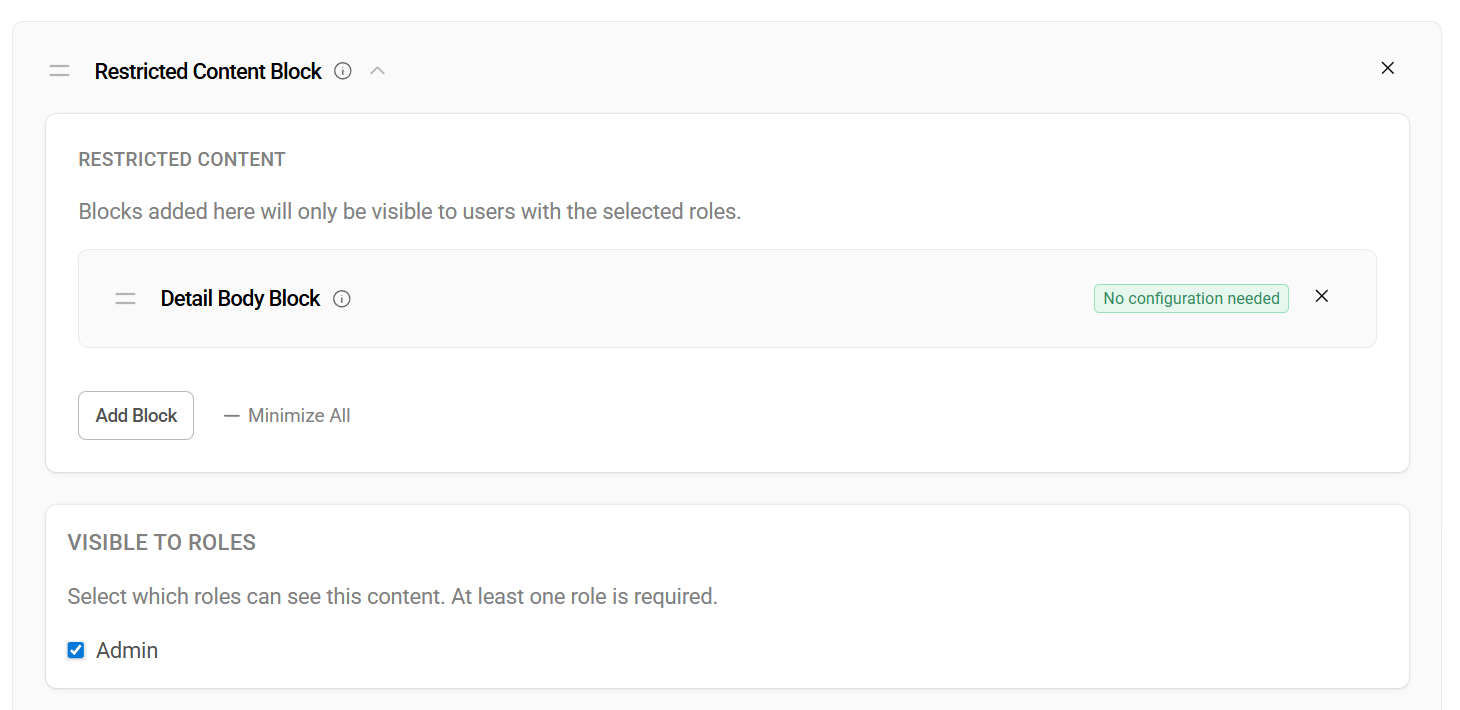
- Select one or more roles that should have access (at least one is required)
- Add child blocks inside it -these are the blocks that will be shown or hidden
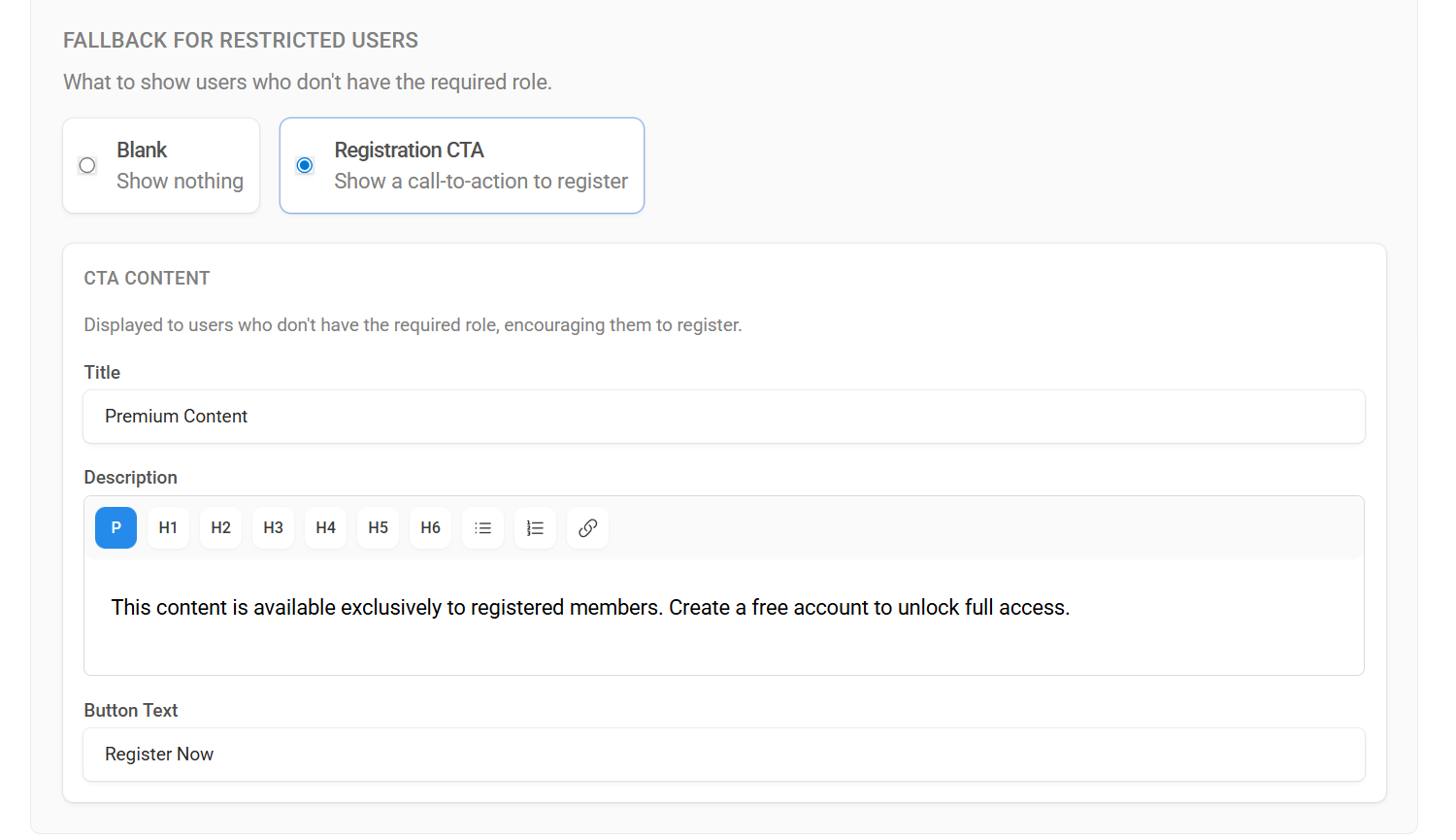
- Choose a fallback mode for users without the required role:
- Blank -the block is completely hidden
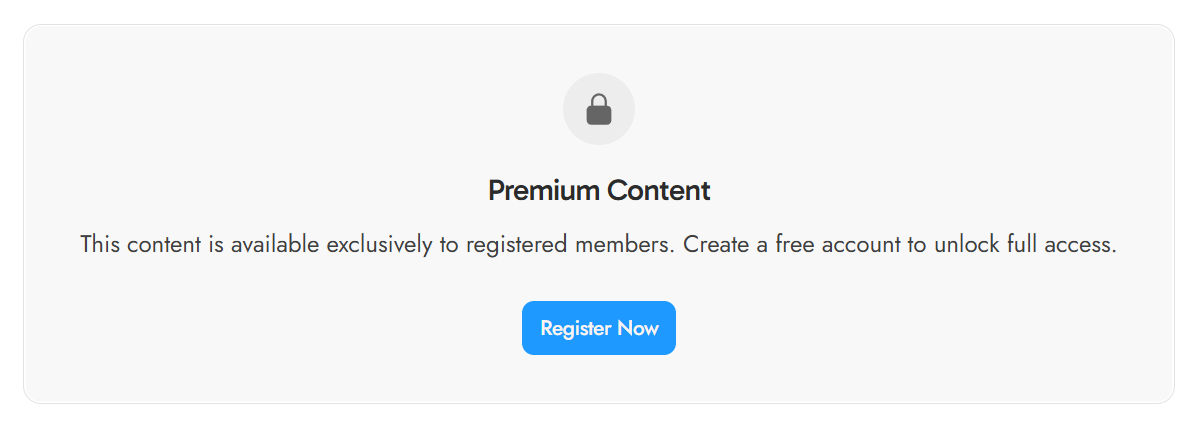
- Registration CTA -a styled card with a title, description, and register button is shown instead
Fallback CTA
When using the CTA fallback mode, you can customize:
| Field | Description | Default |
|---|---|---|
| Title | Heading displayed above the description | Premium Content |
| Description | Rich text explaining why the user should register | This content is available exclusively to registered members... |
| Button Text | Label on the register button | Register Now |
The CTA includes a lock icon and links to the registration page. All three fields are required when using CTA mode.
Nested Blocks
Any block type available in the current area can be nested inside a Restricted Content block.