Pay to list with featured option
Combine paid submission with an optional featured upgrade in a single checkout
Overview
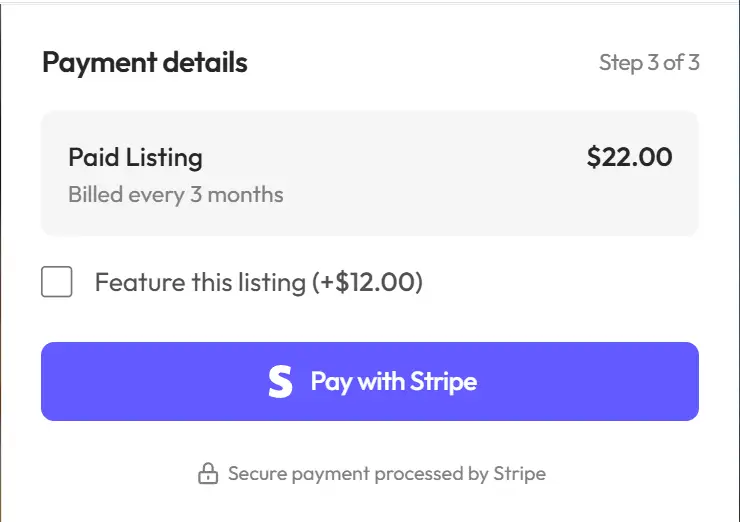
This mode combines paid submission and featured placement into a single product. Users pay a base price to submit their listing, with an optional add-on to also feature it. This provides a streamlined checkout experience while maximizing revenue opportunities.
How it works
This mode works the same as pay to list, with an additional checkbox during checkout allowing users to also feature their listing for an extra fee.
For example, with a $25 base price and $5 featured add-on:
- Without featured: $25 total
- With featured: $30 total ($25 + $5)
Creating a product
- Go to
Settings>Monetization>Products - Click
Add Product - Select Pay to list with featured option as the mode
- Enter a name (e.g., "Submit your listing")
- Choose one-time or subscription pricing
- Set the Base price (for submission only)
- Set the Featured add-on price (additional cost for featuring)
- Click
Saveand sync the product
Subscription lifecycle
For subscription-based products with this mode:
Active subscription
- Listing is published and visible
- If featured was selected, listing has featured status
Subscription cancelled or expired
- Listing status changes to Inactive
- Featured status is also removed
- User receives expiry notification email
Unlike standalone featured listings, subscriptions with this mode deactivate the listing entirely when they expire.
Related guides
- Managing products - Overview of all product types
- Paid listings - Simple paid submission
- Featured listings - Standalone featured products
- Viewing payments - Track payments