Managing users
View registered users and manage their roles and access
Accessing the users list
- Open the edit page of your directory
- Click
Accessin the menu bar - Select
Usersfrom the access menu
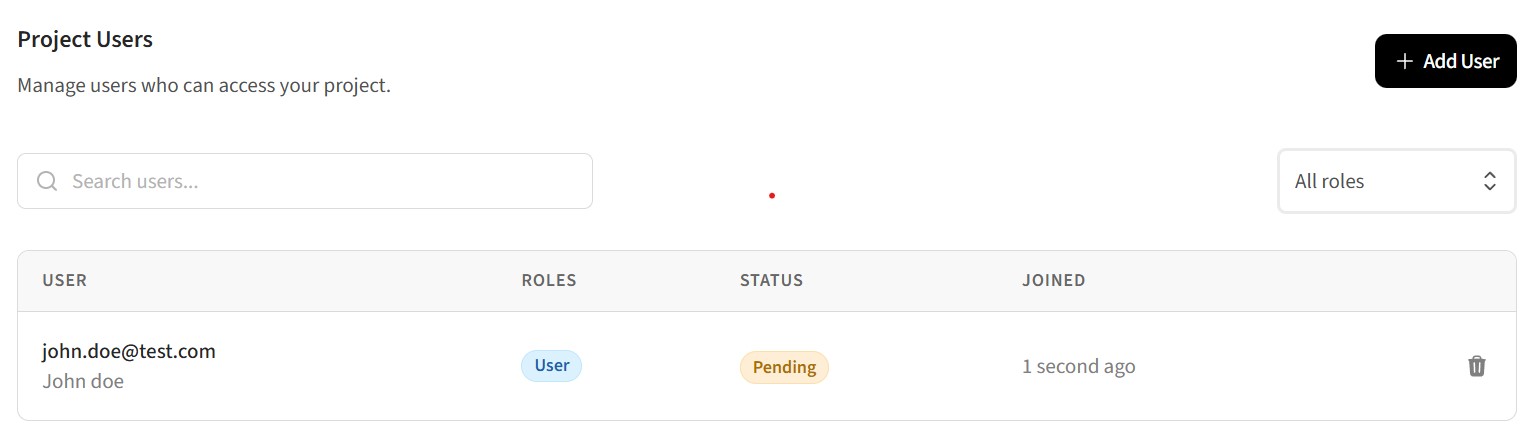
The users list shows all registered users for your directory, including their name, email, assigned roles, and when they registered.
Assigning roles to users
You can assign one or more roles to each user to control what content they can access:
- Find the user in the users list
- Click a user to edit
- Select or deselect roles using the checkboxes
- Save changes
Users can have multiple roles. They'll have access to content that allows any of their assigned roles.
Default role on registration
You can automatically assign a role to new users when they register:
- Go to
Accessin the menu bar - Under the
User registrationsection, find theDefault registration rolesetting - Select the role that should be assigned to new users
This is useful for giving all registered users a base level of access, such as a "Member" role. See Managing private access for more details on user registration settings.
User verification status
Users must verify their email address before gaining full access. You can see verification status in the users list:
- A checkmark indicates the user has verified their email
- A pending indicator shows users who haven't yet verified
Unverified users can sign in but may have limited access depending on your settings.
Related guides
- Managing roles - Create and configure roles
- Managing private access - Set up content restrictions